
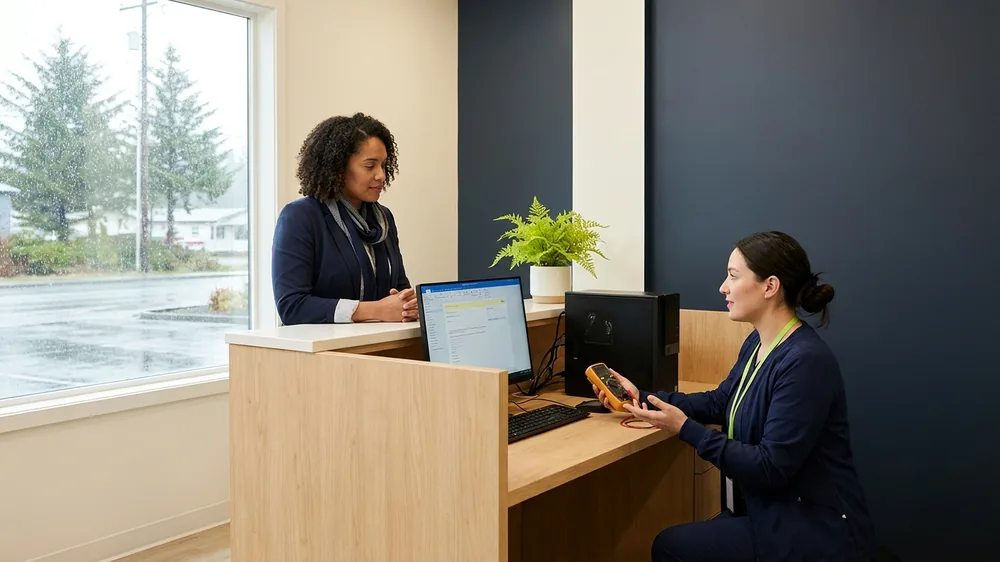
You click to open a patient chart and the spinning cursor just sits there. The hygienist in operatory two says her screen froze again. By mid-morning everyone has developed the same workaround, close the program, reopen it, hope it holds. It works until it doesn’t, and you’ve started budgeting an extra few minutes per patient just to fight the software.
If that sounds like your day, you’re not imagining it, and your practice-management software is probably not broken in the way you think. Dentrix, Eaglesoft, and Open Dental are mature, capable programs. When they crawl or freeze, it’s almost always something about how and where they’re running, not a bug in the software itself. The good news is that nearly every cause has a fix, and most of them aren’t expensive.
Here’s what we actually find when a practice calls us about slow dental software.
It usually starts with the server and the database
All three of these programs share the same basic shape. There is a central database that holds every chart, image, ledger entry, and appointment, and it lives on a server somewhere in your office. Every workstation talks to that database constantly. So when the software feels slow everywhere at once, the server and the database are the first place to look.
A few specific culprits come up again and again. The server is old, with a spinning hard drive instead of a solid-state drive, and the database has simply outgrown the hardware. Dentrix and Eaglesoft both run on a SQL database engine that wants memory and fast storage, and a server that was adequate five years ago and 20,000 fewer patients ago may be starved now. We also see databases that have never been maintained. Like any database, the one behind your practice software needs periodic upkeep, rebuilding indexes and clearing out bloat, or queries that should take a fraction of a second start dragging.
Open Dental gives you more flexibility in where the database lives, which is great, but it also means a misconfigured MySQL or MariaDB setup can quietly throttle the whole practice. The point is the same across all three: a healthy, well-resourced, properly maintained database server is the single biggest factor in whether your software feels fast or painful.
The network between the workstation and the server
The second big cause is the path between each workstation and that central database. Your software is chatty. It sends a lot of small requests back and forth all day. Anything that slows or interrupts that conversation shows up as freezing.
Wireless is a frequent offender. If operatories are connecting to the server over Wi-Fi, especially older Wi-Fi or a single consumer access point trying to cover a whole building, you get the exact symptom practices describe most: works fine sometimes, freezes randomly, worse when more people are on. A wired connection to operatory and front-desk machines is one of the most reliable upgrades we make. We also find aging network switches, damaged cabling, and mismatched network settings that cause tiny delays you feel as constant stutter.
Then there is imaging. Digital X-rays and intraoral scans are large files, and when they live on the same server and network as your database, a busy imaging day can choke everything else. How your images are stored and how that traffic is separated from your database traffic makes a real difference in a practice that takes a lot of radiographs.
The workstations themselves
Sometimes only one or two computers are slow while the rest are fine. That points away from the server and toward the individual machine. The usual suspects are familiar: not enough memory, a hard drive that is nearly full, too many programs loading at startup, or a machine still running an operating system that the software no longer supports well.
Antivirus is a sneaky one worth calling out. Security software that scans every database file your practice program touches can cripple performance. All three vendors publish specific files and folders that your antivirus should be configured to exclude. Done correctly, this is safe and often produces an immediate, noticeable speedup. Done wrong, you either leave the practice slow or leave a hole in your protection, which is why this belongs in the hands of someone who understands both the software and your HIPAA-compliant security setup, not a quick internet fix copied without context.
Cloud versions change the equation
More practices are moving to cloud-hosted versions, like Dentrix Ascend or Open Dental’s cloud option, where the vendor runs the database for you. That removes the local server from the picture, which solves a whole category of problems. But it introduces a new dependency: your internet connection and local network now carry the entire weight of the experience.
This matters a lot in Alaska and Hawaii, where a practice might be on a connection that is slower, higher-latency, or less stable than what a clinic in a major continental US metro takes for granted. A cloud EHR that feels snappy in Seattle can feel sluggish on a rural Alaska circuit if the connection, the local Wi-Fi, and the workstations have not been set up with that reality in mind. So if you have gone cloud and it still feels slow, the problem has usually just moved from your server to your network and internet, and it is still very much fixable.
How to figure out which one is yours
You can narrow it down with a few honest observations before anyone touches a thing. Is it slow on every computer, or just one or two? Everywhere points to the server, database, or network. One machine points to that workstation. Is it slow all the time, or worse at specific moments, like first thing in the morning, during imaging, or when the whole team is logged in? Patterns tell you a lot. Did it come on gradually as the practice and database grew, or suddenly after a change, an update, or new equipment?
We walk through exactly these questions when a practice asks us to look. Often a slowdown that has annoyed a team for a year turns out to be one tired server, a flaky access point, or an antivirus exclusion nobody set, and the fix is far smaller than the dread around it. Because we’re genuinely local, we can come stand in your office, watch it happen in real time, and tell you what’s actually going on rather than guessing from a help-desk ticket a few thousand miles away.
This is also the difference between just fixing your EHR when it crashes and keeping it running well. When the system does go down, knowing whether it’s the vendor’s problem or your IT environment saves your whole morning.
Where to start
If your practice software has been freezing or dragging and you’ve just been living with it, that’s worth a closer look. We’re glad to take a look at how your setup is put together, the server, the network, the workstations, and the way your software is configured, and tell you plainly where the slowness is coming from and what it would take to fix.
No sales theater. Just an honest read on why your software is slow and a clear path to a faster day.